Generate, compare, ship UI variants, without leaving your repo.
A place in the repo to compare AI-generated UI variants, evaluate them in the right layout, and decide what becomes a production component.
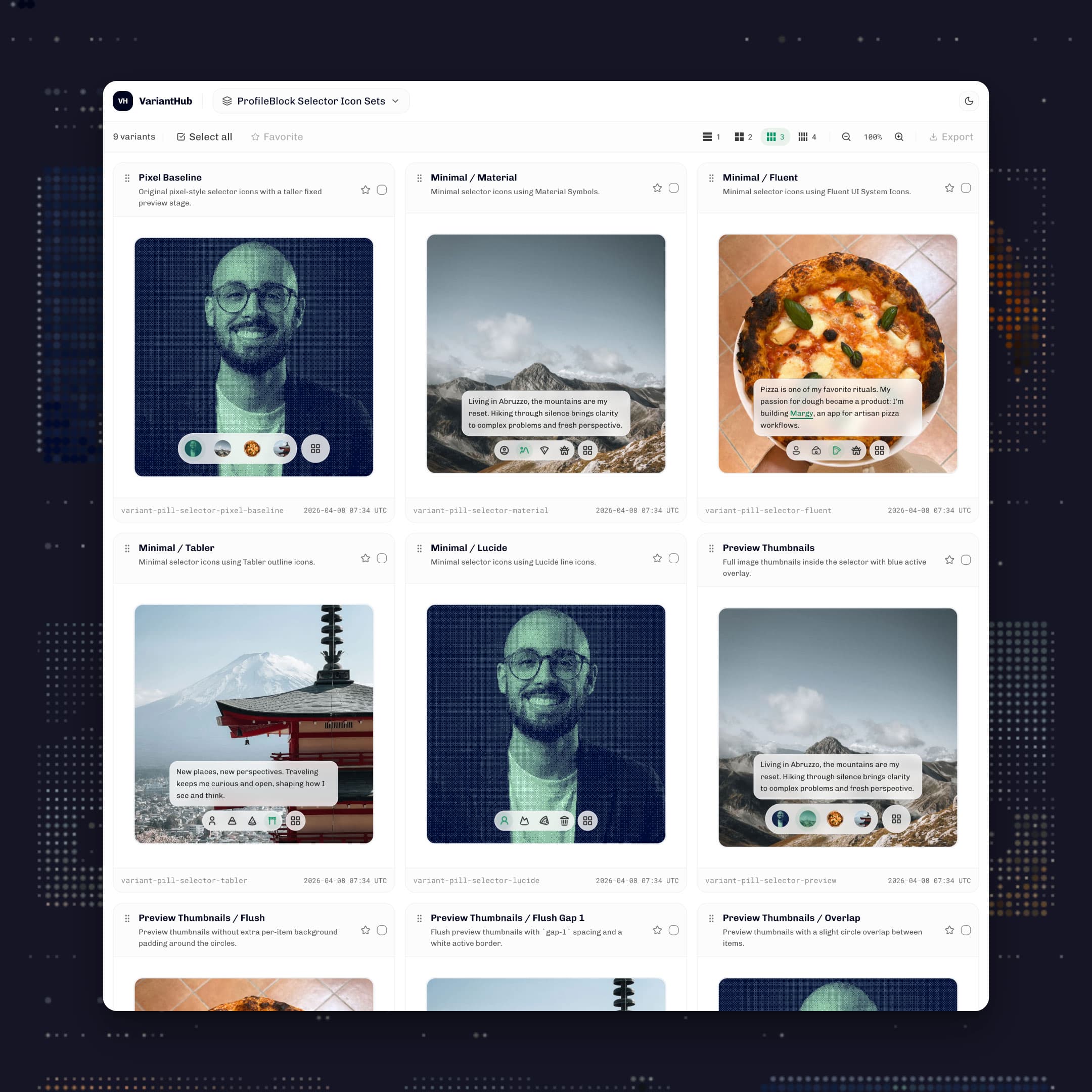
I wanted a place inside the repo to compare AI-generated interface options before choosing one for production. Good canvas-to-code tools already exist, but most add a subscription, an integration step, or another place outside the project. VariantHub keeps that comparison next to the code.
A full circle: from code, through canvas tools, and back to code
I started designing in code. HTML, CSS, a bit of JavaScript, and sometimes Photoshop to slice graphic elements before placing them in markup. There was no canvas tool in the middle. You had an idea, you wrote it, and you saw it. Design and code were the same thing.
When Sketch arrived, I moved there. A canvas made it easier to think visually, explore layouts, and keep multiple directions open at once. When Figma became the default, I followed. The tools changed. The habit of designing outside the codebase stayed.
Then AI arrived, and something started pulling me back toward where I began. Generating directions in code became fast enough to be a real workflow. I could describe what I had in mind, let the AI write it, and see the result rendered immediately. The round-trip through a design tool started to feel like an extra step I did not need.
But code is not a canvas. In Figma you can keep three artboards open, take a piece from one, combine it with another, and turn both into a third direction. In code, that kind of side-by-side exploration does not happen naturally. Once you start writing something, you tend to keep going in that direction. The alternatives stay in your head, not in front of you.
The gap that remained was comparison. I could generate multiple variants quickly, but there was no surface to look at them together without leaving the repo. Tools that offer a canvas with a one-to-one relationship with code are getting better. Most of them require a subscription, an MCP bridge, or a step outside the project. I did not want that. So I built VariantHub.
The tool is simple. It gives generated variants a place to live while I compare them side by side. For large components I use the single-row or two-column view, which gives each variant space to be read properly. For smaller elements, three- and four-column grids let me see everything at once without too much scrolling. When one direction works, I tell the AI in chat to keep that one. No dedicated button, no special workflow. The decision happens the same way the generation did.
There are more capable tools than this. But none of them already live in my repo, work directly with my code, and cost nothing extra. That is the only reason this exists.
Opening live portal
The external product can take a few seconds before it becomes visible.

Working on similar challenges?
I design digital products that bring clarity to complex services, from concept to release.