Journeys, personas, and flows in one readable planning system
One repo-native workspace where user journeys, user personas, and user flow logic stay visible, versioned, and easier to reuse while building.
Personas, journeys, and flows often end up split across portals, boards, PDFs, and old links. Once they sit far from the product, teams stop trusting them. UX Planner keeps the source in Markdown and Mermaid, while the interface makes it easier to browse, review, and reuse during implementation.
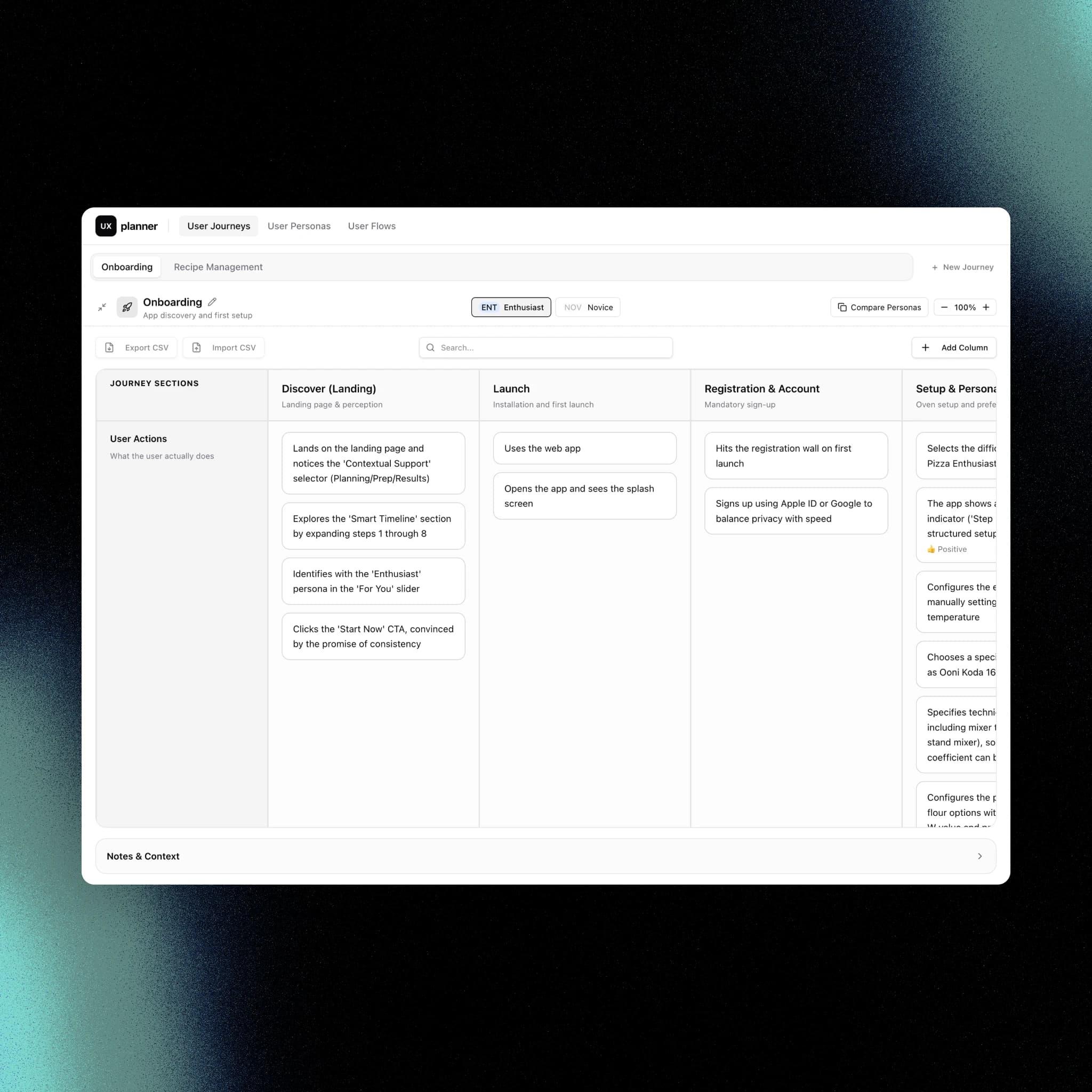
A planning tool to keep user reasoning clear, structured, and in one place
UX Planner started as a way to organize user personas, journeys, and flows directly inside the repo where product work was already happening. I needed a cleaner, more structured way to define user reasoning without relying on scattered tools.
Too often the planning layer ends up scattered across external portals, whiteboards, exported PDFs, and links that slowly drift away from the implementation. The information still exists, but it becomes harder to read, harder to review, and harder to use when decisions need to turn into shipped interface logic.
I wanted these artifacts to stay close to the codebase. Not hidden in another platform, not trapped behind another subscription, and not dependent on a separate handoff step just to become useful again. Keeping the planning layer in the repo means better visibility, versioning, and fewer places where context can get lost.
A big part of that need was around both user journeys and user flows. If journeys and flows can be expressed in Markdown and Mermaid, they can live directly in the repo, be rendered in the app, reviewed with the team, and reused without jumping between tools like FigJam or Excel. This keeps the structure readable while still allowing visual exploration when needed.
UX Planner makes the full reasoning stack explicit and connected: personas -> journeys -> flows.
Personas are defined first in Markdown, making them directly usable by AI. Journeys structure all possible user paths in JSON, staying versioned, structured, and easy to reuse. From there, flows emerge as a consequence, described using Mermaid syntax inside Markdown.
Instead of reading raw files in an IDE, everything is surfaced through a dedicated UI layer. The app lets you explore, analyze, and navigate this structure visually, without losing the underlying code representation.
From the same interface, you can create and edit personas, journeys, and flows. Every change is synced back to the repository, so the UI and the codebase always stay aligned.
This means you get both sides: structured, AI-ready artifacts in the repo, and a readable, interactive layer to work with them without friction.
I built this because it makes my workflow faster and clearer. It also creates better conditions for working with AI: the context is already in the repo, already structured, and already close to the implementation work that comes next.
Opening live portal
The external product can take a few seconds before it becomes visible.

Working on similar challenges?
I design digital products that bring clarity to complex services, from concept to release.